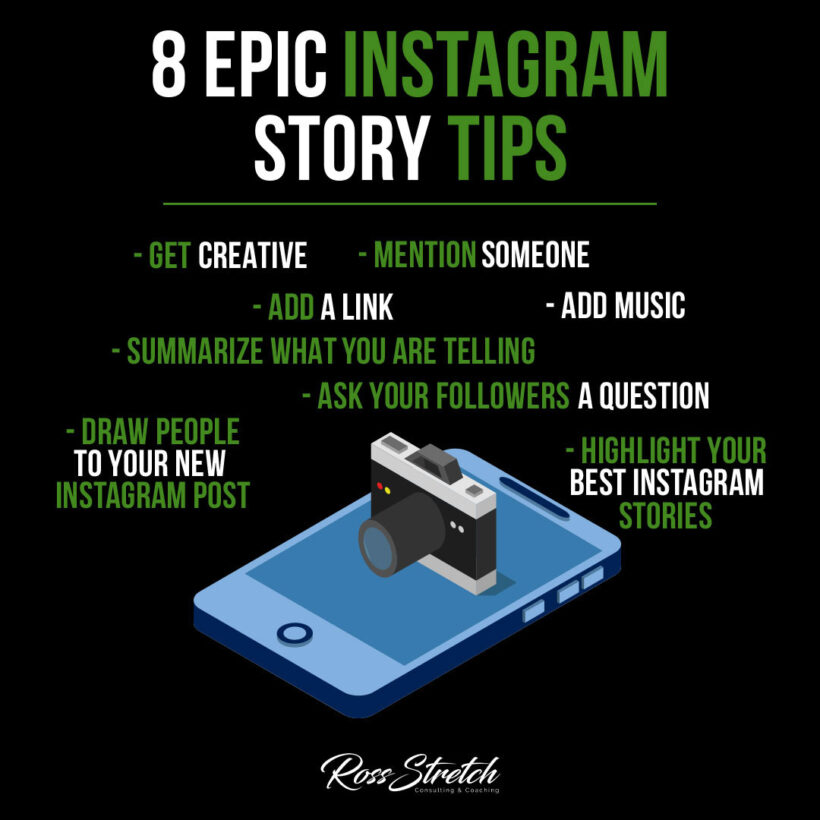

Instagram Stories are one of the most powerful tools for audience engagement on social media today. With over 500 million people watching Stories every single day, the format gives creators, entrepreneurs, and small businesses a direct line to their audience — raw, real, and in the moment. But most people are barely scratching the surface of what Stories can do. These 8 tips will help you create Instagram Stories that stop the scroll, build genuine connections, and grow your account with purpose.
1. Get Creative with Design
Stand Out with Visual Storytelling
Instagram is a visual platform, and your Stories need to look the part. The good news is you don’t need a design degree to create eye-catching content. Using varied fonts, bold color palettes, layered stickers, and animated elements can transform a plain photo into something your audience actually wants to watch. Experiment with different layouts and styles until you find a visual identity that feels authentic to your brand.
- Actionable Tip: Use Canva or Adobe Express to create Story templates you can reuse consistently — this saves time and builds brand recognition.
- Why It Works: Consistent, polished visuals signal professionalism and make your account memorable, which keeps followers coming back.
Pro Tip:
Create a signature color scheme and stick to it across your Stories. When viewers immediately recognize your aesthetic, they’re more likely to tap through your entire Story rather than skipping past it.
2. Tag and Mention Others Strategically
Expand Your Reach Through Collaboration
Mentioning other accounts in your Stories isn’t just a nice gesture — it’s a growth strategy. When you tag a collaborator, brand partner, or even an engaged follower, they receive a notification and can reshare your Story with their own audience. This extends your content’s reach far beyond your existing follower base and creates goodwill with people you want to build relationships with. Use this feature thoughtfully: tag people who are genuinely relevant to the content, not just anyone with a large following.
- Actionable Tip: When featuring a product, service, or collaboration, tag the brand or person directly in the Story so they’re incentivized to reshare it to their audience.
- Why It Works: Reshares expose your content to warm audiences who already trust the person sharing it, making them more likely to follow you too.
Pro Tip:
Before tagging influencers or larger accounts, make sure your Story is high quality. A well-produced Story is far more likely to get reshared than a blurry, rushed one.
3. Add a Link to Drive Traffic
Turn Viewers into Visitors
The link sticker is one of the most valuable features available in Instagram Stories. Unlike a feed post where your only option is directing people to a bio link, Stories let you add a clickable link directly within the content. This makes it incredibly effective for promoting a blog post, product page, landing page, or newsletter signup. Every account now has access to the link sticker — no follower minimum required — so there’s no excuse not to use it.
- Actionable Tip: Customize the link sticker text with a compelling call to action like “Read the full article” or “Shop now” instead of leaving it as the raw URL.
- Why It Works: Descriptive link text tells viewers exactly what they’re clicking on, which dramatically increases click-through rates compared to a generic sticker.
Pro Tip:
Use a URL shortener like Bitly or a UTM-tagged link so you can track exactly how much traffic your Stories are sending to your site. Data beats guessing every time.
4. Set the Mood with Music
Use Sound to Create Emotion
Sound is one of the most underused elements in Instagram Stories. Adding the right music can completely transform the feeling of your content — turning a simple product shot into something cinematic or giving a behind-the-scenes clip an energetic, engaging quality. Instagram’s built-in music library is massive and searchable by mood, genre, and popularity, making it easy to find a track that fits your brand’s tone. Sound also keeps viewers engaged longer, which signals to Instagram’s algorithm that your content is worth showing to more people.
- Actionable Tip: Search Instagram’s music library by mood (e.g., “upbeat,” “chill,” “motivational”) rather than by specific song titles to find tracks that fit the feeling you want to create.
- Why It Works: Emotionally resonant music creates a stronger connection to your content and makes your Story more memorable long after it’s viewed.
Pro Tip:
Pay attention to trending audio on Instagram. Using a popular track can boost your Story’s visibility since the platform often promotes content that uses trending sounds in its discovery features.
5. Summarize Your Message Clearly
Say More with Less
Instagram Story viewers are fast — most people tap through content in two to three seconds. If your message isn’t immediately clear, you’ve lost them. Text overlays should be concise, direct, and visually prominent. Use short phrases, punchy headlines, or bullet-point style text to communicate your key point at a glance. Every Story should have a clear purpose: a lesson, an offer, a question, or a call to action. Anything that doesn’t serve that purpose is clutter worth removing.
- Actionable Tip: Write your Story text as if someone is going to see it for exactly two seconds. If they can’t grasp the main point in that time, simplify it further.
- Why It Works: Clear, scannable text respects your viewer’s time and keeps your content accessible even to people scrolling with the sound off.
Pro Tip:
Use the first frame of a multi-slide Story as a hook — a bold statement or intriguing question that makes viewers want to tap forward to see more. Think of it as a headline that earns the rest of the content.
6. Ask Your Followers a Question
Start Conversations That Build Community
Interactive Stories generate significantly more engagement than passive ones. Instagram’s built-in interactive stickers — including the question box, poll, quiz, and emoji slider — make it easy to get your audience involved. When followers answer a question or vote in a poll, they feel heard and valued, which strengthens their connection to you. Engagement on Stories also signals to the algorithm that your content is resonating, which can help your overall account reach new viewers.
- Actionable Tip: Use the poll sticker for quick, low-commitment questions and the question sticker for deeper, open-ended conversations about your niche or your audience’s challenges.
- Why It Works: Micro-interactions train your audience to engage with your content regularly, building a habit that increases your overall Story views and retention over time.
Pro Tip:
Share the responses you receive in a follow-up Story. This makes followers feel acknowledged and creates a natural content loop — new material generated from your audience’s own input, with zero extra effort.
7. Drive Traffic to Your Feed Posts
Use Stories to Amplify Your Best Content
Your Instagram feed posts don’t reach every one of your followers — the algorithm is selective. Stories are a powerful way to give your feed posts a second chance. When you publish a new post, share a teaser in your Stories with a clear prompt encouraging people to visit your profile. This drives additional views to content you’ve already put work into and helps bypass the limitations of the feed algorithm. You can use the native “Add Post to Story” feature or create a custom Story frame that matches your visual brand.
- Actionable Tip: When sharing a feed post to Stories, add a context overlay that explains why the post is worth viewing — don’t just share the image and expect people to click through on their own.
- Why It Works: Context gives viewers a specific reason to leave Stories and visit your feed, which increases both your post’s reach and its engagement metrics.
Pro Tip:
Create a consistent “New Post” Story template so your audience recognizes it instantly. Familiarity reduces friction — people click what they recognize and trust.
8. Save Your Best Stories as Highlights
Make Your Top Content Work Long-Term
Instagram Stories disappear after 24 hours, but Highlights let you keep your best content front and center permanently. Your Highlights appear directly on your profile page, making them one of the first things new visitors see. Organized well, they function like a mini-website — giving potential followers an instant overview of who you are, what you offer, and why they should follow you. Group your Highlights into clear, labeled categories that reflect your brand, such as “About Me,” “Client Results,” “Tips,” or “Products.”
- Actionable Tip: Design custom Highlight cover images that match your brand’s color scheme and use simple icons or text labels so visitors can navigate your profile at a glance.
- Why It Works: A well-organized profile with branded Highlights looks professional and trustworthy, which directly influences whether new visitors choose to follow you.
Pro Tip:
Review your Highlights every few months and remove outdated content. A stale Highlight with old pricing, irrelevant posts, or past promotions can quietly undermine the credibility you’ve worked to build.
Conclusion
Instagram Stories reward consistency, creativity, and genuine connection. The accounts that grow on this platform aren’t necessarily the ones with the biggest budgets — they’re the ones that show up regularly with clear, engaging content that makes their audience feel something. Apply these eight tips systematically, track what resonates with your specific audience, and keep refining your approach. The algorithm favors accounts that deliver real value, and these strategies will help you do exactly that.
Resources
- Canva — Free design tool for creating polished, on-brand Instagram Story templates.
- Adobe Express — Professional-grade design tool with Story-specific templates and animation options.
- Instagram Story Stickers Guide — Official Instagram guide to using interactive stickers in Stories.
- Bitly — URL shortener for tracking clicks from your Story link stickers.
- Later’s Instagram Stories Guide — Comprehensive strategies for maximizing Story performance and scheduling.

 Ross Stretch